The Big Why? - Gear
My Gear Journey
I was going to Yellowstone and the Tetons for my sabbatical when I decided that I needed my first “real” camera. I chose to start with a beginner Nikon kit because my wife shot with Nikon and would be able to guide me on how to use it. There was no more thought put into it other than “She’s familiar so I have someone to chat with.” Due to that early start in Nikon, I continued with that brand. Selections of which gear I needed weren’t based upon a specific project or a commonly needed focal length. Lens purchase choices were based upon recommendations from “pros” on the internet (and friends), which is not necessarily what a beginner should pay attention to. There are lenses I had (have still) but rarely used. Idealistically, you should understand what you really like to shoot before buying any extra gear. There’s definitely a chicken and egg problem in there that you don’t know what you need until you shoot enough to know what you need, based upon your subject preferences. In hindsight, a 24-70 mm would have been all I needed to get started. It would have saved money in the long run because I would have bought fewer lenses overall.
The Big Why?
When I got the email saying an Alpa Academy workshop was happening in conjunction with Capture Integration (website), I was excited, because here was my chance to test out the Alpa 12 Pano (website). I was pretty sure this was the gear I wanted, but it is quite the investment, so testing was the way to go. The announcement included a link to Julian’s website for people to review. I did a quick look at his site and thought his work was great, but all I wanted to do was put my hands on a relatively rare camera. During the email exchange where I made sure I was guaranteed time with it, I was told there were only a small number of them in the US. They would only have one example of it at the workshop, so I might have to share it with others during the week. Fortunately, everyone else was there for learning from an Alpa Master (and great guy) and weren’t testing lots of different gear from Alpa. I think one or two lenses were tried out, but all of the other participants had brought their Alpa gear with them. For the entire workshop, I used the stunning 90 mm Rodenstock lens paired with the Alpa 12 Pano with my personal Phase One IQ4 digital back.
Julian opened the workshop with a little introduction about himself and started on this question of Why? He had been an (award winning) advertising photographer for decades and was beginning to question the point of it. Why do we photograph? Why this subject or that subject? Why this lens or this camera? It’s a pretty heady question to open a workshop with and I found myself wondering who this guy was. Awards and accolades aside, here was someone asking the deep questions about what drives someone to do something not required to feed their family. All the other participants were there to shoot with Julian and I was beginning to understand why. By the end of the workshop I realized I’d travel pretty far to have a beer and a chat with him. The Big Why nagged at me for more than a year, forcing me to consider whether I should I photograph at all. I’ll explore my thoughts on this in a future blog post.
So why an Alpa? And why such a specific, rare camera? It took me years to learn how I like to see a scene. I like wide aspect ratios that more closely match human vision, 2 x 1 or wider. That aspect ratio feels very natural and is a great way to express a landscape scene. At the same time, I know from lots of shots on the Nikon 14-24 mm lens, that I hate the distortion of really wide angle lenses. Couple the distortion artifacts with the common choice to tilt the camera down for the foreground and background to be in the same plane of focus and something in me rebels. Those types of scenes look like they are bending at the bottom and falling away at the top. In the view camera era, you would tilt the front element while leaving the rear element parallel to the subject, so you got the same focus benefits without the extra pronounced distortion. All Alpa 12 cameras using short barrel lenses can support tilt via the lens spacer and most support shift too (only one doesn’t as a weight savings). The Pano version supports up to a total of 70 mm shifts horizontally and 20 mm vertically. Pair this with a 90 mm medium format lens (~55 mm focal length in 35 mm full frame terms) and you have something that closely matches human vision without any jarring distortion. Using the full horizontal shift, the Pano delivers a 2 x 1 or 3 x 1 aspect ratio image, based upon digital back orientation with an effective view angle of a ~20 mm full frame lens, but with the same compression of a “normal” lens. This is an absolute win for me and what I like to shoot: epic, wide views without wide angle distortion. After the workshop, I did purchase one, which is my favorite camera and lens combo for landscape and architectural shooting.
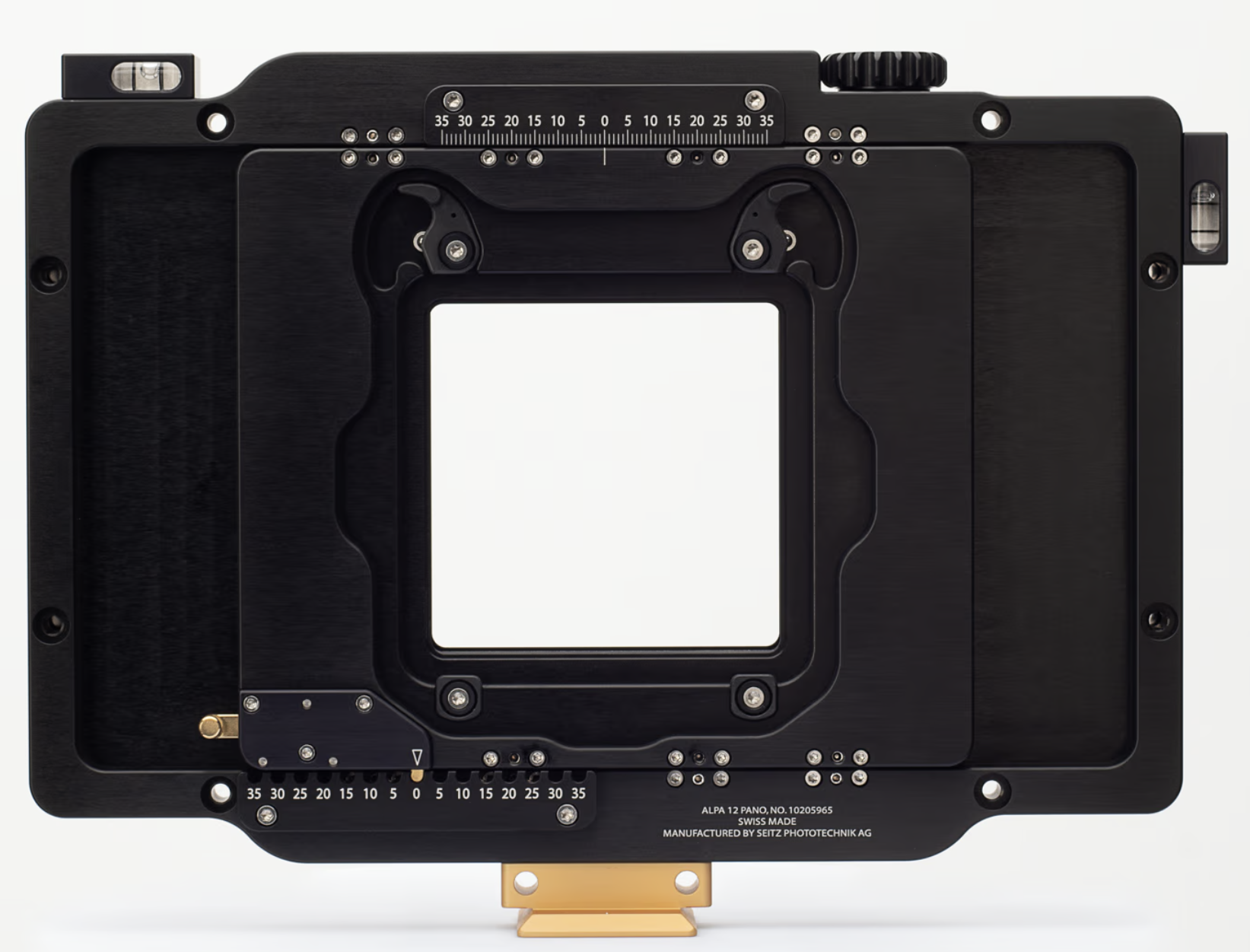
Alpa 12 Pano horizontal stitching (image used with permission)
Planar Panoramic Stitching
With the mechanical planar shift using the Alpa 12 Pano system (see the image above), there are no rotational stitching artifacts or nodal point alignment issues. The sensor is moving in precise linear increments across a flat plane, so the geometry is as perfect as the lens can render and the stitches are clean due to the hardware design. For architectural or landscape work, this creates incredibly detailed images that stitch so cleanly that anyone used to nodal or cylindrical stitching will be amazed at the final results. Pairing the Alpa 12 Pano with a high resolution medium format back and you can create final prints of immense size. Below is a table of the final megapixel counts based upon orientation of the Phase One IQ4 digital back and the amount of shift used during the pano creation.
IQ4 digital back in landscape orientation
← scroll to view all columns →
| Horiz. Shifts |
Horiz. Pixels |
Vert. Pixels |
Megapixels | Width in @ 300 DPI |
Height in @ 300 DPI |
Width cm @ 300 DPI |
Height cm @ 300 DPI |
Aspect Ratio |
|---|---|---|---|---|---|---|---|---|
| 0 | 14,204 | 10,640 | 151.13 | 47.3 | 35.5 | 120.3 | 90.1 | 1.34 |
| 1 | 15,534 | 10,640 | 165.29 | 51.8 | 35.5 | 131.5 | 90.1 | 1.46 |
| 2 | 16,864 | 10,640 | 179.44 | 56.2 | 35.5 | 142.8 | 90.1 | 1.59 |
| 3 | 18,194 | 10,640 | 193.59 | 60.6 | 35.5 | 154.0 | 90.1 | 1.71 |
| 4 | 19,524 | 10,640 | 207.74 | 65.1 | 35.5 | 165.3 | 90.1 | 1.84 |
| 5 | 20,854 | 10,640 | 221.89 | 69.5 | 35.5 | 176.6 | 90.1 | 1.96 |
| 6 | 22,184 | 10,640 | 236.04 | 73.9 | 35.5 | 187.8 | 90.1 | 2.09 |
| 7 | 23,514 | 10,640 | 250.19 | 78.4 | 35.5 | 199.1 | 90.1 | 2.21 |
| 8 | 24,844 | 10,640 | 264.34 | 82.8 | 35.5 | 210.3 | 90.1 | 2.34 |
| 9 | 26,174 | 10,640 | 278.50 | 87.2 | 35.5 | 221.6 | 90.1 | 2.46 |
| 10 | 27,504 | 10,640 | 292.65 | 91.7 | 35.5 | 232.9 | 90.1 | 2.59 |
| 11 | 28,834 | 10,640 | 306.80 | 96.1 | 35.5 | 244.1 | 90.1 | 2.71 |
| 12 | 30,164 | 10,640 | 320.95 | 100.5 | 35.5 | 255.4 | 90.1 | 2.84 |
| 13 | 31,494 | 10,640 | 335.10 | 105.0 | 35.5 | 266.7 | 90.1 | 2.96 |
| 14 | 32,824 | 10,640 | 349.25 | 109.4 | 35.5 | 277.9 | 90.1 | 3.09 |
IQ4 digital back in portrait orientation
← scroll to view all columns →
| Horiz. Shifts |
Horiz. Pixels |
Vert. Pixels |
Megapixels | Width in @ 300 DPI |
Height in @ 300 DPI |
Width cm @ 300 DPI |
Height cm @ 300 DPI |
Aspect Ratio |
|---|---|---|---|---|---|---|---|---|
| 0 | 10,640 | 14,204 | 151.13 | 35.5 | 47.3 | 90.1 | 120.3 | 0.75 |
| 1 | 11,970 | 14,204 | 170.03 | 39.9 | 47.3 | 101.3 | 120.3 | 0.84 |
| 2 | 13,300 | 14,204 | 188.92 | 44.3 | 47.3 | 112.6 | 120.3 | 0.94 |
| 3 | 14,630 | 14,204 | 207.81 | 48.8 | 47.3 | 123.9 | 120.3 | 1.03 |
| 4 | 15,960 | 14,204 | 226.70 | 53.2 | 47.3 | 135.1 | 120.3 | 1.12 |
| 5 | 17,290 | 14,204 | 245.59 | 57.6 | 47.3 | 146.4 | 120.3 | 1.22 |
| 6 | 18,620 | 14,204 | 264.49 | 62.1 | 47.3 | 157.6 | 120.3 | 1.31 |
| 7 | 19,950 | 14,204 | 283.38 | 66.5 | 47.3 | 168.9 | 120.3 | 1.40 |
| 8 | 21,280 | 14,204 | 302.27 | 70.9 | 47.3 | 180.2 | 120.3 | 1.50 |
| 9 | 22,610 | 14,204 | 321.16 | 75.4 | 47.3 | 191.4 | 120.3 | 1.59 |
| 10 | 23,940 | 14,204 | 340.05 | 79.8 | 47.3 | 202.7 | 120.3 | 1.69 |
| 11 | 25,270 | 14,204 | 358.95 | 84.2 | 47.3 | 214.0 | 120.3 | 1.78 |
| 12 | 26,600 | 14,204 | 377.84 | 88.7 | 47.3 | 225.2 | 120.3 | 1.87 |
| 13 | 27,930 | 14,204 | 396.73 | 93.1 | 47.3 | 236.5 | 120.3 | 1.97 |
| 14 | 29,260 | 14,204 | 415.62 | 97.5 | 47.3 | 247.7 | 120.3 | 2.06 |
Those charts are based upon using only the horizontal shifting capability, but you can also include vertical shifts with horizontal to really maximize your resolution. It also opens up easy conversion to some wide screen style images at huge printing sizes. Another thing not mentioned previously is that you can put the foot of the camera at either edges where the grips are. This swaps the horizontal and vertical movement options. Be careful to support things as you move them in this orientation. You don’t want the back to slam down and alter your careful composition.
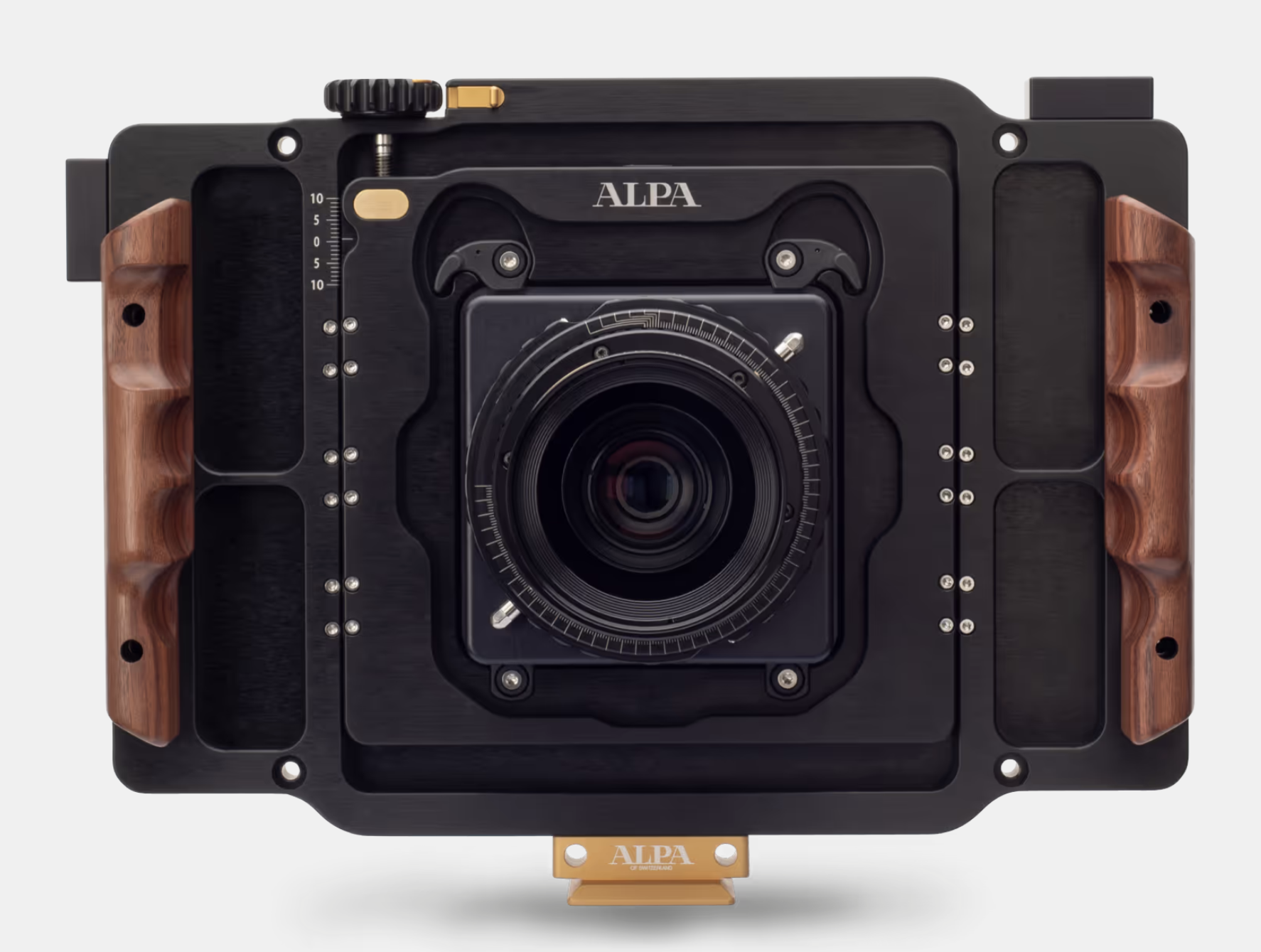
Alpa 12 Pano vertical shift via the locking precision wheel at the top (image used with permission)
IQ4 digital back in portrait orientation with +10 & -10 vertical shift (maximal resolution)
← scroll to view all columns →
| Horiz. Shifts |
Horiz. Pixels |
Vert. Pixels |
Megapixels | Width in @ 300 DPI |
Height in @ 300 DPI |
Width cm @ 300 DPI |
Height cm @ 300 DPI |
Aspect Ratio |
|---|---|---|---|---|---|---|---|---|
| 0 | 10,640 | 19,524 | 207.74 | 35.5 | 65.1 | 90.1 | 165.3 | 0.54 |
| 1 | 11,970 | 19,524 | 233.71 | 39.9 | 65.1 | 101.3 | 165.3 | 0.61 |
| 2 | 13,300 | 19,524 | 259.67 | 44.3 | 65.1 | 112.6 | 165.3 | 0.68 |
| 3 | 14,630 | 19,524 | 285.64 | 48.8 | 65.1 | 123.9 | 165.3 | 0.75 |
| 4 | 15,960 | 19,524 | 311.61 | 53.2 | 65.1 | 135.1 | 165.3 | 0.82 |
| 5 | 17,290 | 19,524 | 337.58 | 57.6 | 65.1 | 146.4 | 165.3 | 0.89 |
| 6 | 18,620 | 19,524 | 363.54 | 62.1 | 65.1 | 157.6 | 165.3 | 0.95 |
| 7 | 19,950 | 19,524 | 389.51 | 66.5 | 65.1 | 168.9 | 165.3 | 1.02 |
| 8 | 21,280 | 19,524 | 415.48 | 70.9 | 65.1 | 180.2 | 165.3 | 1.09 |
| 9 | 22,610 | 19,524 | 441.45 | 75.4 | 65.1 | 191.4 | 165.3 | 1.16 |
| 10 | 23,940 | 19,524 | 467.41 | 79.8 | 65.1 | 202.7 | 165.3 | 1.23 |
| 11 | 25,270 | 19,524 | 493.38 | 84.2 | 65.1 | 214.0 | 165.3 | 1.29 |
| 12 | 26,600 | 19,524 | 519.35 | 88.7 | 65.1 | 225.2 | 165.3 | 1.36 |
| 13 | 27,930 | 19,524 | 545.32 | 93.1 | 65.1 | 236.5 | 165.3 | 1.43 |
| 14 | 29,260 | 19,524 | 571.28 | 97.5 | 65.1 | 247.7 | 165.3 | 1.50 |
As you can see from those tables, if you want to create very large scale prints, this system is hard to beat. The 90 mm Rodenstock lens is not the only option either. Alpa supports a full range of lenses. Not all lenses have an image circle large enough to take advantage of the full +/-35mm shift capability, but they do allow you to shoot wider or more zoomed in than my 90 mm lens. I just finished a second workshop with Julian where I tested the 138 mm and 70 mm lenses. Honestly, it was an excuse with hang out with Julian, Hans (owner of Alpa), and the Capture Integration crew that hosted the event . The incredibly beautiful location was a nice treat too. I will do some more posts on how those lenses paired with the pano system in the coming weeks. (Spoiler: the 138 mm is the sharpest lens I have used.) I will also do some more charts on the lenses’ angle of view when used with the pano soon. Until then, you can see what I was able to capture using the 138 mm at Garrapata State Park in the Big Sur (below). This was the middle of the day so not the ideal time for color images and was really meant to test the lens but the end result was very pleasant to me.
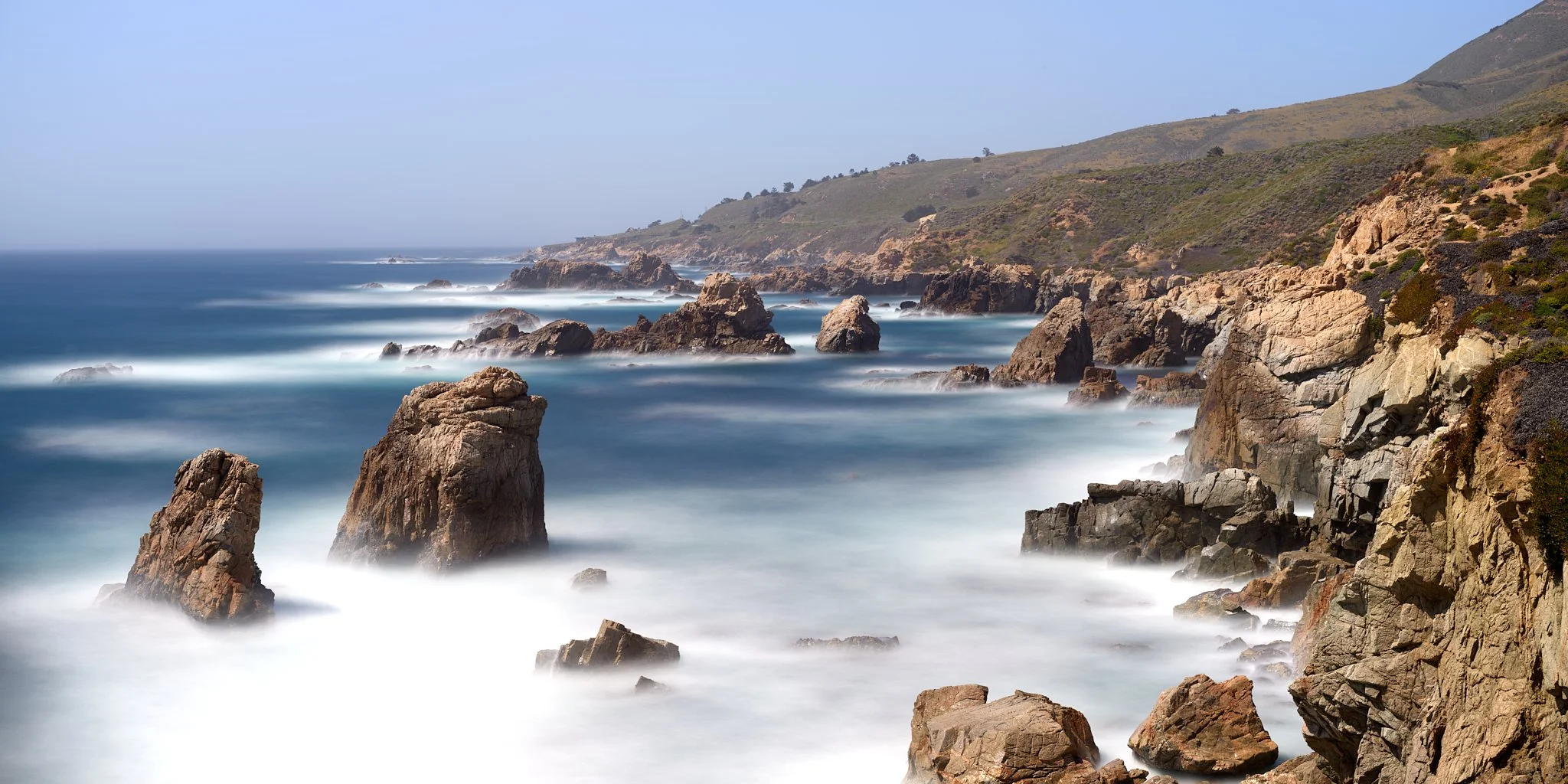
Garrapata State Park, CA. Photographed using the Alpagon 138 mm lens paired with a Alpa 12 Pano. 3 stitch pano, f9, 1 minute exposures